Platform Overview
Genyserve is a Software-as-a-Service (SaaS) platform designed to streamline property operations and facilities management within residential and commercial communities. It connects property management organizations with their residents, property owners, and service providers through a unified digital ecosystem.
Organizations (real estate companies, property managers, HOAs) manage their entire portfolio of properties, handle resident service requests, collect feedback, manage utilities, publish community content, and process payments -- all from a centralized dashboard.
Residents and property owners interact through a mobile application where they can browse properties, submit maintenance requests, pay bills, engage with the community, and communicate directly with property management.
Three Interfaces
Roles: APP_ADMIN, APP_SUPER_ADMIN
Roles: ORG_MANAGER, ORG_ADMIN
Roles: USER, Guest
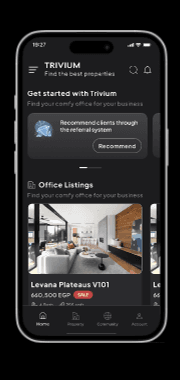
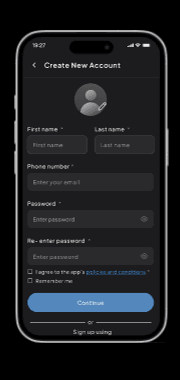
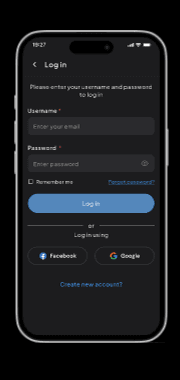
Mobile App Preview
Screens from the Genyserve mobile application (dark mode)
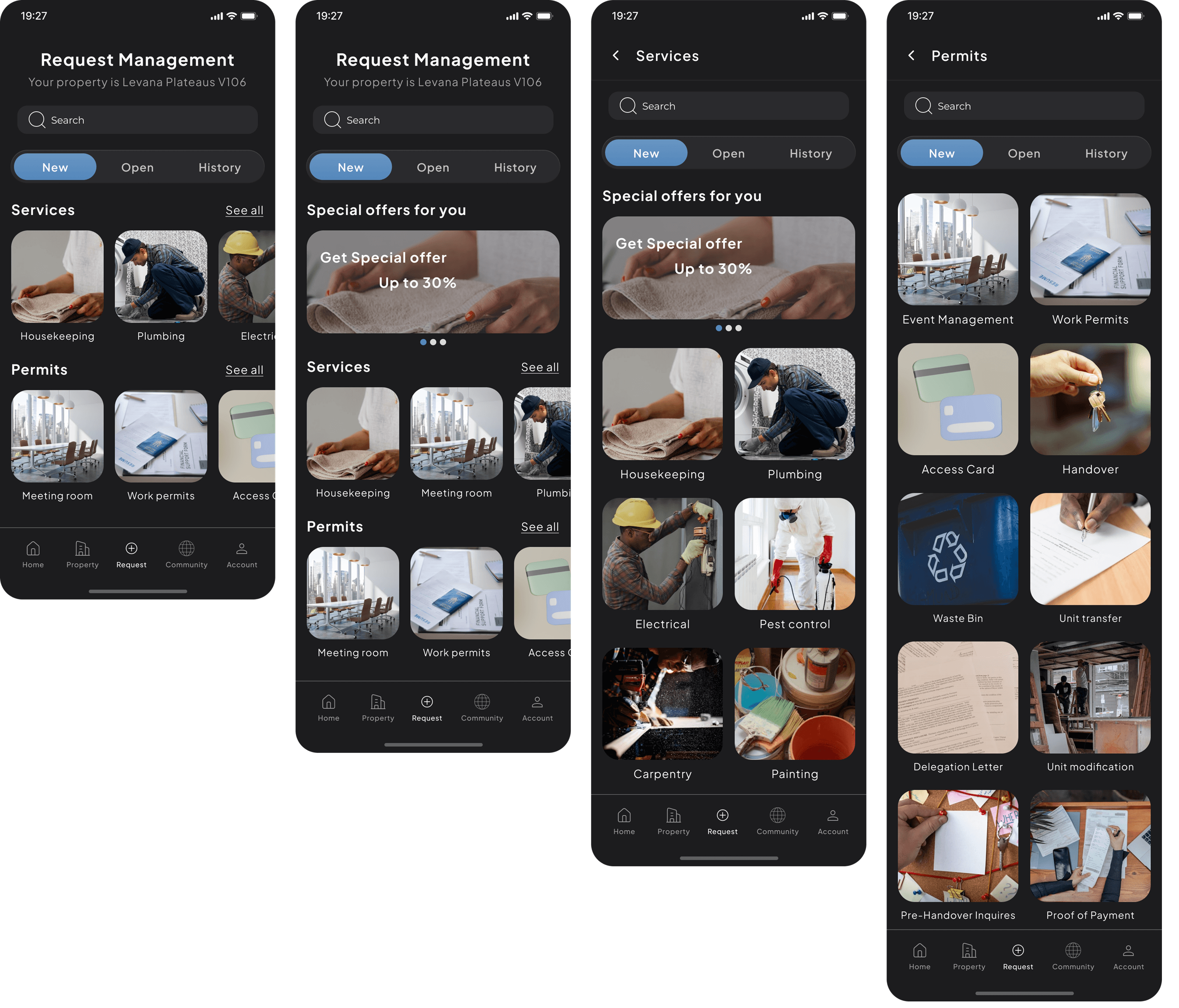
Request Management Hub
Residents can submit service requests, browse available services, and manage permits -- all from a single hub.
Data Flow
User Roles
Genyserve implements six distinct user roles, each with specific permissions and capabilities.
| Role | Access | Typical User |
|---|---|---|
| APP_SUPER_ADMIN | Admin Dashboard | CTO, platform owner |
| APP_ADMIN | Admin Dashboard | Operations manager |
| ORG_MANAGER | Org Dashboard | RE company director |
| ORG_ADMIN | Org Dashboard | Assistant manager |
| USER | Mobile App | Tenant, owner, buyer |
| Guest | Mobile (limited) + Landing | Potential user |
SaaS Admin Guide
Access
Organization Manager Guide
Resident / Tenant Guide
Registration via Email:
- Open the app and tap "Register"
- Fill in: Email, Username, First Name, Last Name, Password
- Submit and enter the 4-digit OTP from your email
- Account created with USER role
Login Options:
Property Owner Guide
Owner-Exclusive Capabilities (on top of all USER features):
- Owned Unit Details -- View complete details, maintenance history, and utility meter readings/bills for your unit
- Owner Notifications -- Receive alerts categorized under "OWNERS" for maintenance, bills, and community updates
- Owner-to-Owner Chat -- Connect with other property owners, discuss community concerns, and coordinate on issues
- Unit Service History -- Submit and track requests specifically tied to your owned unit with full historical records
Subscription & Billing
| Status | Meaning |
|---|---|
| PENDING | Payment not yet confirmed |
| ACTIVE | Paid, full platform access |
| INACTIVE | Deactivated (payment issue) |
| CANCELED | Org voluntarily canceled |
| EXPIRED | Billing period ended without renewal |
Request Workflows
Main flow (top) and alternative end states (bottom)
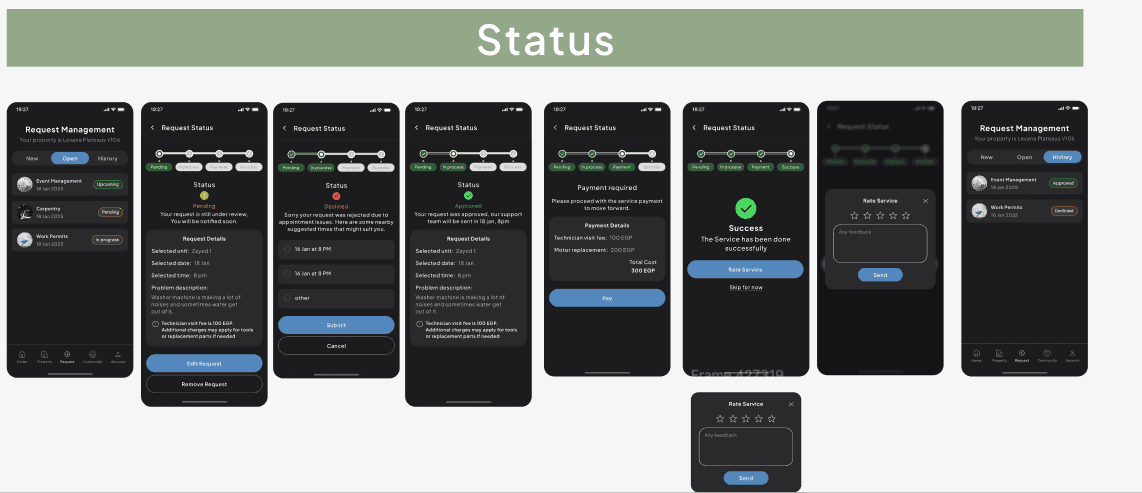
Visual Workflow Reference
See the full request lifecycle in the mobile app -- from submission through each status transition to completion and rating.
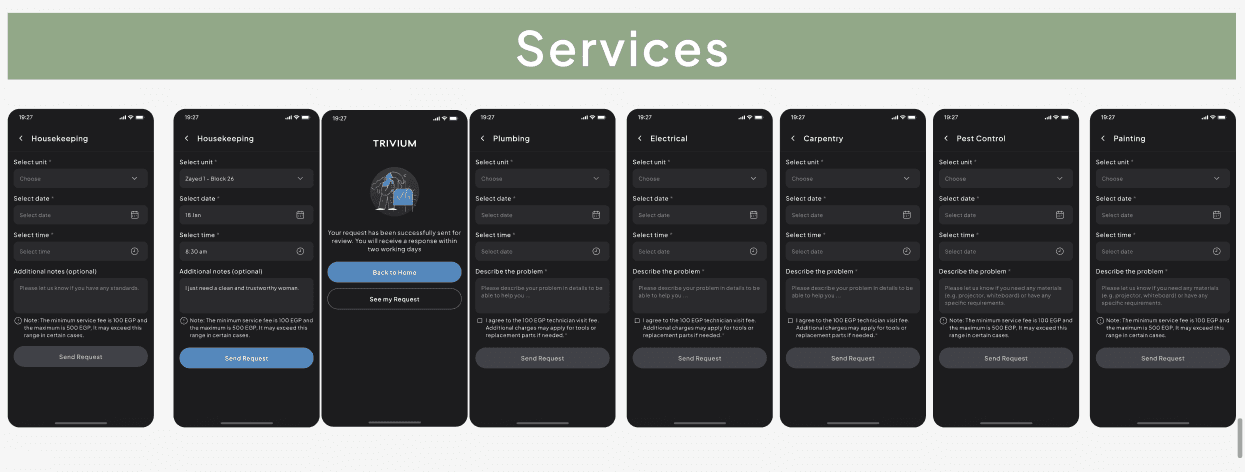
Service Request Forms
Each maintenance service has a dedicated form with unit selection, scheduling, problem description, and transparent fee disclosure.
Security & Your Account
Bilingual Support
| Content Type | Arabic Fields | English Fields |
|---|---|---|
| Property titles | titleAr | titleEn |
| Property descriptions | descriptionAr | descriptionEn |
| Service names | nameAr | nameEn |
| FAQ questions | questionAr | questionEn |
| Phone service titles | titleAr | titleEn |
| Content pages | titleAr, descriptionAr | titleEn, descriptionEn |
RTL Support: A dedicated Arabic landing page at /ar provides right-to-left text direction and proper layout mirroring.
Best Practice
Glossary
A single property (apartment, villa, office, shop) within a location
A physical building, compound, or community
A real estate company or HOA using Genyserve
A maintenance task or repair offering
An administrative request for approval
Price negotiation between user and org
A local business offering deals to residents
Measuring device for electricity, water, or gas
One-Time Password, a 4-digit verification code
Payment gateway for processing transactions
Software as a Service delivery model